
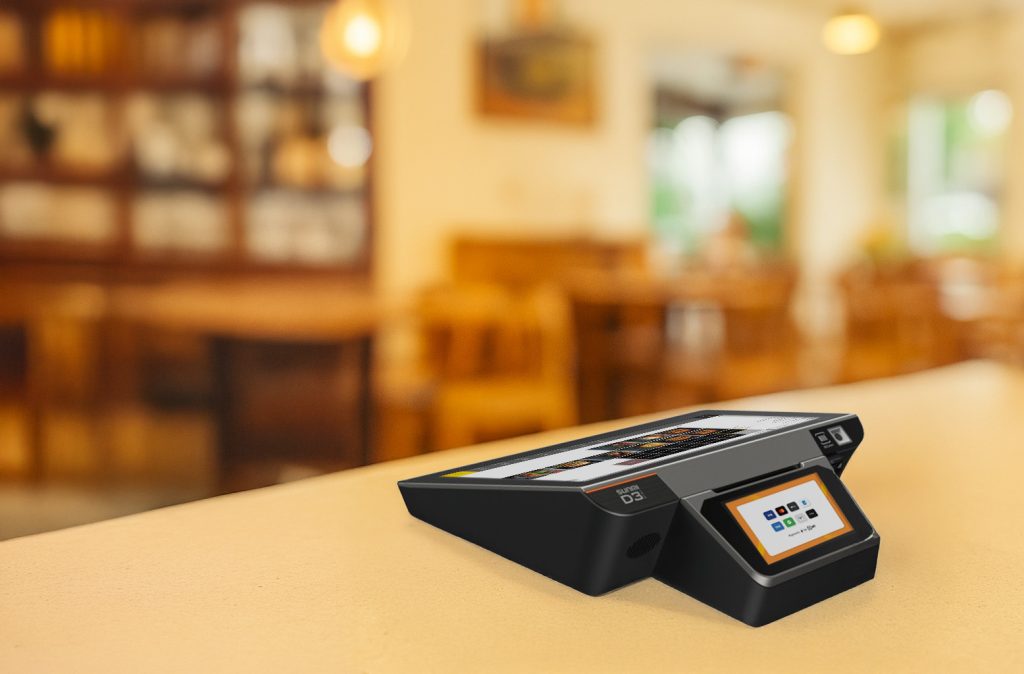
Switching to a new EPOS system can feel overwhelming for Irish business owners. The thought of losing customer details, sales records, or product information keeps many merchants stuck with outdated systems that slow down their business. However, EPOS migration Ireland doesn’t have to be scary when you know the right steps to take. With proper planning and the right help, POS system switching can be smooth and safe, protecting all your valuable business information.
As Ireland’s leading merchant services comparison platform, Compayre.ie has helped hundreds of Irish businesses upgrade their EPOS systems without losing a single piece of data. This straightforward guide explains everything you need to know about switching systems safely, keeping your business running smoothly throughout the process.
Why Irish Businesses Need to Upgrade Their EPOS Systems
Many Irish businesses are using EPOS systems that are 5-10 years old or more. While these systems might still work, they’re holding back your business in ways you might not realize.
Signs Your EPOS System Needs Upgrading
Daily Frustrations:
- Your system runs slowly, especially during busy periods
- Customer cards get declined for no clear reason
- The screen freezes or crashes regularly
- Adding new products takes forever
- Reports are confusing or missing important information
- Your staff complain about how difficult the system is to use
Business Limitations:
- You can’t sell online because your system won’t connect to websites
- Customer loyalty programs are too complicated to set up
- You can’t see which products are selling well across different locations
- Bank reconciliation takes hours because the reports don’t match
- You’re missing sales because customers can’t pay the way they want
- Your accountant struggles with the data your system provides
Benefits of Modern EPOS Systems
Better Daily Operations:
- Faster checkout speeds that keep customers happy
- Automatic inventory updates so you never run out of popular items
- Easy-to-read reports that help you make better business decisions
- Staff can learn the system quickly with user-friendly interfaces
- Accepts all payment types including contactless and mobile payments
- Works on tablets and phones for maximum flexibility
Business Growth Opportunities:
- Sell online and in-store with everything connected
- Track customer preferences to offer personalized service
- Manage multiple locations from one central system
- Get real-time updates on sales and stock levels anywhere
- Integrate with your accounting software to save time
- Plan for busy periods with better sales forecasting
Understanding What Data Needs Protection
Before starting your EPOS migration Ireland project, it’s important to understand what information you’re protecting. Think of your EPOS system like a digital filing cabinet containing years of business records.
Your Customer Information
Essential Customer Details:
- Names, addresses, and phone numbers of your regular customers
- Email addresses for newsletters and special offers
- Purchase history showing what each customer likes to buy
- Loyalty points and rewards they’ve earned
- Special preferences like sizes, colors, or dietary requirements
- Payment methods they prefer to use
Why This Matters: Your customer database is like gold for your business. It helps you provide personal service, send targeted offers, and build lasting relationships. Losing this information means starting from scratch with customer relationships you’ve built over years.
Your Product and Sales Information
Important Business Records:
- Complete list of all products you sell with descriptions and prices
- How many items you have in stock right now
- Which products sell best at different times of year
- Supplier information and what you pay for products
- Daily, weekly, and monthly sales totals
- Staff performance and commission records
Why This Matters: This information helps you run your business day-to-day. You need to know what’s selling, what’s not, and when to reorder stock. Sales history helps you plan for busy periods and make smart buying decisions.
Your Financial Records
Money-Related Information:
- Daily cash and card sales totals
- Tax calculations and VAT records for Revenue
- Refunds and exchanges you’ve processed
- Tips and service charges for staff
- Bank deposits and payment processing fees
- End-of-day cash drawer counts
Why This Matters: Your financial records are legally required for tax purposes. You also need them to understand how profitable your business is and where you can improve.
Planning Your EPOS System Switch
Good planning is the secret to successful POS system switching. Just like you wouldn’t redecorate your shop without planning, you shouldn’t change your EPOS system without careful preparation.
Choosing the Right Time
Best Times for Migration:
- Quiet seasons: Avoid busy periods like Christmas, summer holidays, or local festivals
- Weekdays: Tuesday, Wednesday, or Thursday usually have less customer traffic
- After closing: Plan major changes for evenings or days when you’re closed
- Staff availability: Make sure your key people can help and learn the new system
- School holidays: If you have seasonal staff, time it when experienced workers are available
Times to Avoid:
- The week before major holidays when everyone’s shopping
- During sales events or special promotions
- When key staff members are on vacation
- During your busiest season (different for every business)
- When you’re launching new products or services
Getting Your Current Information Ready
What to Collect Before Starting:
- Customer lists: Export names, contact details, and purchase history
- Product information: Descriptions, prices, and current stock levels
- Sales reports: Monthly totals for the past year to check everything transferred correctly
- Staff details: User accounts, passwords, and permission levels
- Supplier contacts: Names, phone numbers, and ordering details
- Settings: Tax rates, receipt messages, and system preferences
Making Copies of Everything: Think of this like making photocopies of important documents before storing them somewhere new. You want multiple copies of your data stored in different places:
- Save files to your computer’s hard drive
- Copy everything to an external hard drive or USB stick
- Upload copies to cloud storage like Google Drive or Dropbox
- Email important lists to yourself as attachments
- Print out key information like customer lists and product catalogs
Simple Steps to Protect Your Data
Protecting your business data during EPOS migration Ireland doesn’t require technical expertise. Think of it like moving house – you pack everything carefully, label the boxes, and make sure nothing gets lost.
Creating Backups (Making Copies)
1st Step: Export Your Data Most EPOS systems have an “Export” or “Backup” option in the settings menu:
- Look for buttons labeled “Export Data,” “Backup,” or “Download”
- Choose to export “All Data” or “Complete Backup” when possible
- Save files with today’s date in the filename (like “MyShop_Backup_Nov2024”)
- Export different types of information separately (customers, products, sales)
- Save everything to your computer’s desktop where you can easily find it
2nd Step: Make Multiple Copies Never rely on just one copy of your important information:
- Copy all files to a USB stick or external hard drive
- Upload copies to cloud storage (Google Drive, Dropbox, OneDrive)
- Email the most important files to yourself
- Consider printing customer lists and product catalogs as paper backups
- Ask a trusted family member or business partner to keep a copy safe
3rd Step: Test Your Backups Before relying on your backups, make sure they actually work:
- Try opening each saved file to make sure it’s not corrupted
- Check that customer names and phone numbers are readable
- Verify that product information and prices are correct
- Make sure sales totals match what you expect
- Test that you can import the files into other programs if needed
Working with Your New System Provider
What to Ask For:
- Migration assistance: Will they help move your data from the old system?
- Testing period: Can you try the new system with your data before going live?
- Training: How much help will you get learning the new system?
- Support: Who can you call if something goes wrong?
- Backup guarantee: What happens if data gets lost during the switch?
What They Should Provide:
- A clear timeline showing when everything will happen
- Written confirmation of what data they’ll move for you
- Contact details for technical support during the switch
- Training materials or videos for you and your staff
- A plan for what to do if problems occur
Keeping Your Business Running During the Switch
The biggest worry most business owners have about POS system switching is losing sales while the changeover happens. Here are simple ways to keep serving customers throughout the process.
The “Side-by-Side” Approach
How It Works: Instead of switching off your old system and immediately turning on the new one, run both systems together for a while. It’s like having two cash registers – you can use either one.
Benefits for Your Business:
- Customers don’t notice any disruption to service
- Staff can learn the new system gradually without pressure
- You can compare both systems to make sure everything works correctly
- If problems occur, you can still serve customers using the old system
- You have time to fix any issues before fully switching over
How to Do It:
- Set up the new system alongside your existing one
- Train one or two staff members on the new system first
- Start using the new system for some transactions while keeping the old one running
- Gradually increase usage of the new system as staff become comfortable
- Keep the old system as backup until you’re completely confident
Managing Staff During the Change
Preparing Your Team:
- Explain why you’re changing systems and how it will help the business
- Reassure staff that you’ll provide proper training and support
- Choose one or two staff members to become “experts” who can help others
- Schedule training sessions during quiet periods
- Create simple instruction sheets for common tasks
Training Tips:
- Start with basic functions like processing sales and refunds
- Use real examples from your business, not generic training scenarios
- Let staff practice on the new system during quiet periods
- Encourage questions and provide patient, clear answers
- Celebrate small wins as staff master new features
Communicating with Customers
What to Tell Customers:
- “We’re upgrading our system to serve you better”
- “You might notice slightly longer wait times this week while our staff learn”
- “We’re adding new payment options that will be available soon”
- “Thank you for your patience as we improve our service”
How to Communicate:
- Put up a friendly sign at the counter explaining the upgrade
- Post on your social media about the improvements coming
- Tell regular customers in person when they visit
- Send an email to customers if you have their addresses
- Train staff to explain briefly if customers ask about any delays
What to Expect During the Changeover
Understanding what happens during EPOS migration Ireland helps reduce anxiety and ensures everything goes smoothly.
The First Week
Day 1-2: Getting Started
- Your new system provider will set up the equipment
- They’ll begin transferring your data from the old system
- You’ll probably still be using your old system for most transactions
- Staff will start basic training on the new system
- You might notice technicians working in your shop
Day 3-4: Testing Everything
- Check that all your customer information transferred correctly
- Verify that product information and prices are accurate
- Test that sales reports match your expectations
- Try processing different types of transactions
- Make sure payment processing works with cards and cash
Day 5-7: Building Confidence
- Staff will become more comfortable with the new system
- You’ll start using the new system for more transactions
- Regular customers might notice the new screens or processes
- You’ll identify any small issues that need fixing
- The old system stays available as backup
Common Challenges and Solutions
“The New System Seems Slower”
- New systems often seem slower at first because staff are learning
- Speed improves dramatically as staff become familiar with the layout
- Modern systems are usually faster once everyone knows how to use them
- Training and practice are the best solutions
“I Can’t Find Important Information”
- New systems organize information differently than old ones
- Ask your provider to show you where key reports and data are located
- Create simple notes showing staff where to find common information
- Most systems allow you to customize the layout to match your preferences
“Customers Are Complaining About Wait Times”
- Acknowledge the temporary inconvenience and thank customers for patience
- Explain that you’re improving the system to serve them better in the long run
- Consider offering small discounts or loyalty points during the transition
- Most customers are understanding if you communicate honestly
Getting Help When You Need It
Even with good planning, you might need assistance during your POS system switching project. Knowing where to get help reduces stress and ensures problems get solved quickly.
When to Call for Help
Technical Issues:
- The system crashes or freezes repeatedly
- Customer or product information appears incorrect or missing
- Payment processing stops working
- Reports show numbers that don’t make sense
- Staff can’t log in or access important functions
Business Issues:
- Staff are struggling to learn the new system
- Customer complaints are increasing
- Sales are taking much longer than before
- You’re worried about losing customers
- The change is causing too much stress
Types of Support Available
Phone and Email Support:
- Most providers offer phone support during business hours
- Email support for less urgent questions
- Online chat for quick questions and technical issues
- Video calls to show problems or get demonstrations
- Remote access where technicians can fix problems from their office
On-Site Assistance:
- Technicians can visit your business to help with complex problems
- Additional training sessions for staff who need extra help
- System optimization to improve speed and efficiency
- Hardware troubleshooting and replacement if needed
- Emergency support during critical business periods
Working with New Payment Innovation
New Payment Innovation specializes in helping Irish businesses switch EPOS systems safely and efficiently. They understand that most business owners aren’t technical experts and provide support in plain English.
What Makes NPI Different:
- Irish-based support: Real people in Ireland who understand your business
- Simple explanations: They explain technical things in ways anyone can understand
- Guaranteed data protection: Your information is safe throughout the process
- Flexible timing: They work around your business schedule, not theirs
- Ongoing help: Support continues after the switch is complete
- No hidden costs: Clear pricing with no surprise charges
How NPI Helps During Migration:
- They handle all the technical aspects of moving your data
- Provide training tailored to your specific business needs
- Test everything thoroughly before you start using the new system
- Stay available during your first weeks with the new system
- Help optimize settings to match how your business works
- Learn more about NPI’s migration services
After the Switch: Making Sure Everything Works
Your EPOS migration Ireland project isn’t finished when the new system starts working. The first few weeks are important for making sure everything runs smoothly and your investment pays off.
Checking Everything is Correct
Daily Checks for the First Week:
- Compare daily sales totals with your bank deposits
- Verify that stock levels update correctly when you sell items
- Check that customer information appears correctly on receipts
- Make sure staff can access all the functions they need
- Confirm that reports show accurate information
Weekly Reviews:
- Look at sales reports and compare them to the same week last year
- Check that automatic orders to suppliers are working correctly
- Review customer feedback and address any concerns
- Monitor staff confidence and provide additional training if needed
- Assess whether the new system is saving time as expected
Optimizing Your New System
Making It Work Better for Your Business:
- Customize the screen layout to match how your staff work
- Set up shortcuts for your most common transactions
- Create reports that show the information you find most useful
- Adjust settings to match your business hours and policies
- Add your logo and contact details to receipts and reports
Training Staff on Advanced Features:
- Show staff how to use customer lookup and purchase history
- Explain how to generate the reports they need for their jobs
- Teach managers how to track performance and identify trends
- Train staff on handling returns, exchanges, and special situations
- Help everyone understand how the new features benefit customers
Measuring Success
Signs Your Migration Was Successful:
- Customers can be served faster than with the old system
- Staff feel confident using all the features they need
- Daily operations run smoothly without technical problems
- Reports provide useful information for business decisions
- You can see improvements in efficiency and customer service
What to Do If Problems Persist:
- Contact your provider immediately if problems don’t resolve
- Document specific issues with dates and examples
- Ask for additional training if staff are still struggling
- Request system adjustments to better match your workflow
- Consider whether you need different features or settings
Common Mistakes to Avoid
Learning from other Irish businesses’ experiences can help you avoid costly mistakes during your POS system switchingproject.
Planning Mistakes
Rushing the Process: Many businesses try to switch systems too quickly, leading to problems and stress. Take time to plan properly, train staff, and test everything thoroughly.
Not Backing Up Data Properly: Some businesses lose important information because they didn’t make proper backups. Always create multiple copies of your data and store them in different places.
Choosing the Wrong Time: Switching during your busiest season creates unnecessary stress and risks losing sales. Plan your migration during quieter periods when you have time to handle any issues.
Inadequate Staff Training: Staff who don’t understand the new system will struggle to serve customers efficiently. Invest proper time in training and support.
Technical Mistakes
Not Testing the New System: Some businesses go live with new systems without proper testing, leading to problems during busy periods. Always test thoroughly with real data.
Ignoring Integration Issues: If your EPOS doesn’t work properly with your accounting software or website, you’ll have ongoing problems. Check all connections before going live.
Inadequate Hardware: Old computers or poor internet connections can make new systems run slowly. Ensure your hardware can support the new system properly.
Communication Mistakes
Not Telling Customers: Customers appreciate knowing about changes that might affect their experience. Simple communication prevents complaints and shows you care about service quality.
Poor Staff Communication: Staff need to understand why changes are happening and how they’ll benefit the business. Good communication reduces resistance and improves adoption.
Conclusion: Your Path to Successful EPOS Migration
Switching to a new EPOS system doesn’t have to be scary or complicated. With proper planning, good backups, and the right support, EPOS migration Ireland can transform your business operations while keeping all your valuable data safe.
Remember the Key Steps:
- Plan carefully – Choose the right time and prepare your data properly
- Make good backups – Create multiple copies of all your important information
- Get proper help – Work with experienced providers who understand Irish businesses
- Train your staff – Invest time in helping your team learn the new system
- Test everything – Make sure the system works correctly before relying on it completely
The Benefits Are Worth It:
- Faster service that keeps customers happy
- Better information to help you make smart business decisions
- Modern payment options that customers expect
- Integration with other business systems that saves time
- Improved reliability that reduces daily frustrations
As Ireland’s trusted merchant services comparison platform, Compayre.ie is here to help you navigate your EPOS migration journey. We work with experienced providers who specialize in helping Irish businesses upgrade their systems safely and efficiently.
Ready to upgrade your EPOS system?
Contact our friendly team at +353 1 265 4403 for a free consultation about your EPOS migration needs. We’ll help you understand your options, choose the right system for your business, and connect you with providers who guarantee safe data migration.
Visit www.compayre.ie today to learn more about modern EPOS systems that can transform your business. Don’t let outdated technology hold back your success – the perfect EPOS solution is waiting for you.
Your business deserves modern technology that works reliably and helps you serve customers better. Let us help you make the switch safely and successfully.