
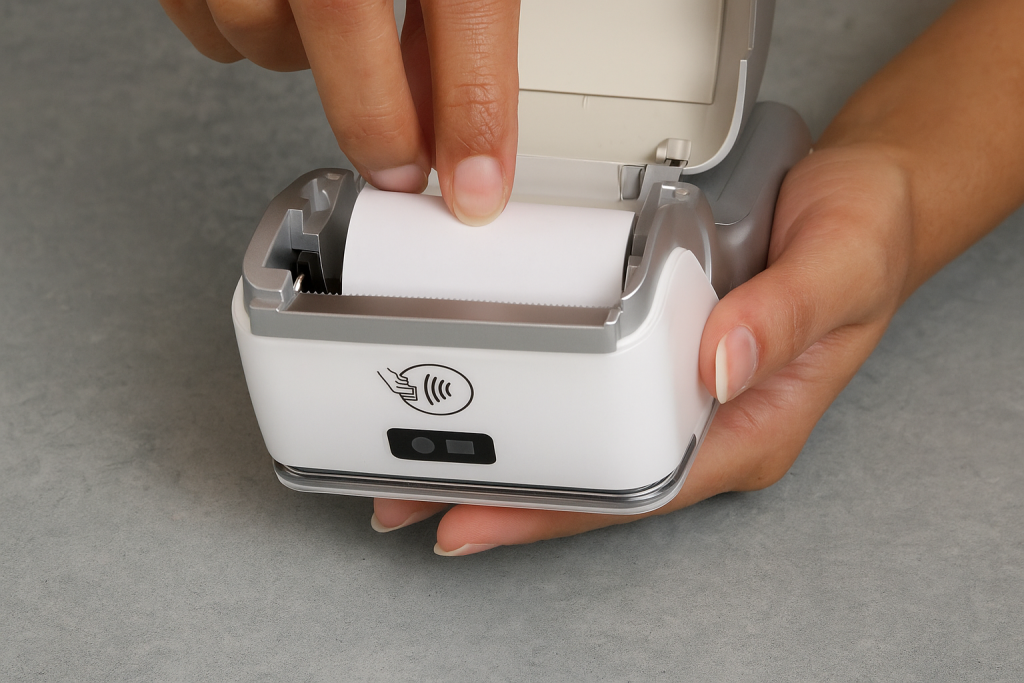
When your card machine stops working during peak business hours, every minute of downtime costs money and frustrates customers. Card machine problems Ireland businesses face can range from simple connectivity issues to complex hardware failures, but many can be resolved quickly with the right troubleshooting approach. Understanding payment terminal troubleshooting techniques empowers Irish merchants to minimize disruption and maintain smooth operations.
As Ireland’s trusted merchant services comparison platform, Compayre.ie has compiled this comprehensive troubleshooting guide based on real experiences from thousands of Irish businesses. We’ll walk you through common issues, DIY solutions, and help you determine when professional support is necessary to get your payment processing back online.
Understanding Card Machine Problems in Ireland
Card machine problems Ireland businesses encounter typically fall into several categories, each requiring different troubleshooting approaches. The Irish payment processing environment presents unique challenges, from variable weather conditions affecting outdoor terminals to network connectivity issues in rural areas.
Most Common Payment Terminal Issues
Irish merchants report these frequent problems:
- Connection failures: Wi-Fi or mobile network disruptions
- Card reading errors: Chip, magnetic strip, or contactless malfunctions
- Display problems: Screen freezing, blank displays, or touch sensitivity issues
- Battery failures: Power-related problems in portable devices
- Paper jams: Receipt printer malfunctions
- Software glitches: Application crashes or slow response times
- Communication errors: Bank connection timeouts
Impact on Irish Businesses
Payment terminal downtime affects Irish businesses significantly:
- Lost sales: Customers abandoning purchases when cards can’t be processed
- Customer dissatisfaction: Negative experiences impacting repeat business
- Operational disruption: Staff time diverted to technical issues
- Cash handling increases: Security and administrative complications
- Reputation damage: Appearing unprofessional during busy periods
DIY Troubleshooting: Quick Fixes for Common Issues
Many card machine problems Ireland merchants face can be resolved without calling technical support. These step-by-step solutions address the most frequent issues affecting Irish payment terminals.
Connection and Network Problems
Symptom: “Connection Failed” or “Network Unavailable” messages
DIY Solutions:
- Check Physical Connections
- Ensure Ethernet cables are securely connected
- Verify power cables are properly inserted
- Inspect cables for visible damage or wear
- Test connections by gently wiggling cables
- Restart Network Equipment
- Unplug your router/modem for 30 seconds
- Reconnect power and wait for full startup (2-3 minutes)
- Restart your card machine after network stabilizes
- Test connectivity with a known working device
- Mobile Network Troubleshooting
- Check signal strength indicator on device
- Move terminal to different location for better reception
- Contact your mobile provider about local outages
- Verify SIM card is properly seated
When to Try: Always attempt these steps first for connection issues Success Rate: Resolves approximately 60% of connectivity problems
Card Reading Malfunctions
Symptom: Cards not being read, “Insert Card” errors, or contactless failures
DIY Solutions:
- Clean Card Reader Components
- Use lint-free cloth with small amount of isopropyl alcohol
- Gently clean chip reader contacts
- Wipe contactless sensor area
- Remove any visible debris from card slot
- Test Multiple Payment Methods
- Try different cards (chip, magnetic strip, contactless)
- Test with known working cards
- Attempt manual card entry if available
- Check if specific card types are failing
- Restart and Recalibrate
- Power cycle the terminal completely
- Allow 2-3 minutes for full restart
- Perform initial test transaction
- Check for software updates if available
When to Try: For intermittent or consistent card reading failures Success Rate: Fixes about 45% of card reading issues
Display and Interface Problems
Symptom: Frozen screens, unresponsive touch, or display anomalies
DIY Solutions:
- Soft Reset Procedures
- Hold power button for 10-15 seconds
- Wait for complete shutdown
- Restart and observe startup sequence
- Test touch sensitivity after restart
- Screen Cleaning Protocol
- Use microfiber cloth for gentle cleaning
- Avoid harsh chemicals or abrasive materials
- Ensure screen is completely dry
- Test responsiveness after cleaning
- Environmental Adjustments
- Move device away from direct sunlight
- Ensure adequate ventilation around terminal
- Check operating temperature ranges
- Protect from moisture and humidity
When to Try: For display-related malfunctions Success Rate: Resolves approximately 55% of interface issues
Battery and Power Issues
Symptom: Won’t power on, frequent shutdowns, or charging problems
DIY Solutions:
- Battery Reset Process
- Completely drain battery if possible
- Charge uninterrupted for full cycle (usually 3-4 hours)
- Avoid using during initial full charge
- Test battery life after complete cycle
- Charging Port Maintenance
- Inspect charging port for debris or damage
- Gently clean with compressed air or soft brush
- Ensure charging cable is firmly connected
- Try different charging cable if available
- Power Management Settings
- Adjust screen brightness to conserve battery
- Enable power-saving modes when available
- Reduce timeout settings for unused periods
- Update software for improved power efficiency
When to Try: For power-related problems Success Rate: Fixes about 40% of battery issues
Advanced Payment Terminal Troubleshooting
Complex payment terminal troubleshooting situations require systematic approaches and deeper technical knowledge. These advanced techniques help resolve persistent problems affecting Irish businesses.
Communication Protocol Issues
Symptom: Transaction processing delays, timeout errors, or bank communication failures
Advanced DIY Approaches:
- Network Configuration Verification
Settings Check: - DNS settings: 8.8.8.8, 8.8.4.4 (Google DNS) - IP configuration: DHCP vs. Static - Port accessibility: 443, 80, 8080 - Firewall exceptions for payment processing - Transaction Log Analysis
- Review recent transaction history
- Identify patterns in failed transactions
- Note specific error codes
- Document time patterns for failures
- Bank Communication Testing
- Attempt test transactions with different amounts
- Try various card types and issuers
- Test during different times of day
- Monitor response times for patterns
Software and Firmware Problems
Symptom: Application crashes, slow performance, or feature malfunctions
Systematic Resolution Steps:
- Software Update Management
- Check for available firmware updates
- Schedule updates during low-traffic periods
- Backup configuration settings before updates
- Verify update completion and functionality
- Configuration Reset Procedures
- Document current settings before reset
- Perform factory reset only as last resort
- Reconfigure essential settings systematically
- Test all functions after configuration
- Application Troubleshooting
- Clear application cache and temporary files
- Restart specific payment applications
- Check memory usage and available storage
- Monitor for software conflicts
Hardware Component Diagnostics
Symptom: Mechanical failures, component malfunctions, or physical damage
Professional Assessment Techniques:
- Component Testing Protocol
- Test each function independently
- Document specific failing components
- Check for loose internal connections
- Assess physical damage extent
- Environmental Impact Evaluation
- Review operating conditions
- Assess exposure to moisture, heat, or impact
- Check for dust accumulation
- Evaluate placement and handling practices
When to Call Professional Support
Knowing when DIY payment terminal troubleshooting reaches its limits saves time and prevents further damage. Professional support becomes necessary for complex issues requiring specialized knowledge or equipment.
Clear Indicators for Professional Help
Immediate Support Required:
- Physical damage to device (cracked screens, damaged ports)
- Suspected internal component failure
- Persistent security-related errors
- Complete system failure after troubleshooting attempts
- Electrical or charging port damage
- Water damage or exposure to extreme conditions
Escalation After DIY Attempts:
- Problems persisting after comprehensive troubleshooting
- Multiple simultaneous issues affecting different functions
- Intermittent problems that can’t be reliably reproduced
- Performance degradation despite successful basic fixes
- Software errors beyond basic restart and reset procedures
What to Prepare Before Calling Support
Essential Information for Support Teams:
- Device Details
- Exact model number and serial number
- Software/firmware version information
- Age of device and usage patterns
- Recent changes or updates
- Problem Documentation
- Specific error messages (exact wording)
- When problem first occurred
- Frequency and consistency of issues
- Steps already attempted
- Business Impact Assessment
- Transaction volume affected
- Duration of downtime
- Customer impact and complaints
- Alternative payment methods available
Support Response Expectations
Typical Support Timelines:
- Phone support: Immediate to 30 minutes
- Remote diagnostics: 1-2 hours
- On-site technician: Same day to 48 hours
- Device replacement: 24-48 hours
- Repair completion: 3-5 business days
Quality providers like New Payment Innovation offer comprehensive support with rapid response times and Irish-based technical teams.
Prevention: Avoiding Card Machine Problems Ireland
Proactive maintenance and proper usage prevent most card machine problems Ireland businesses encounter. Implementing systematic prevention strategies reduces downtime and extends equipment lifespan.
Daily Maintenance Routines
Morning Setup Checklist:
- Verify network connectivity and signal strength
- Check battery level and charging status
- Clean screen and card reading areas
- Confirm paper supply and print quality
- Test basic functions with training mode
- Review any overnight system messages
End-of-Day Procedures:
- Process any pending batch settlements
- Clean terminal surfaces and components
- Secure charging connections for overnight charging
- Review daily transaction reports for anomalies
- Store portable devices in safe, dry locations
- Document any issues for trend monitoring
Weekly Deep Maintenance
Comprehensive Care Protocol:
- Thorough Cleaning Procedures
- Deep clean all surfaces with appropriate cleaners
- Detailed cleaning of card slots and readers
- Screen cleaning with proper materials
- Inspection for wear or damage signs
- Performance Monitoring
- Review transaction success rates
- Monitor processing speed trends
- Check battery performance patterns
- Assess network connectivity stability
- Software Maintenance
- Install available updates during off-hours
- Clear cached data and temporary files
- Backup configuration settings
- Review security settings and certificates
Environmental Protection Strategies
Optimal Operating Conditions:
- Location Considerations
- Stable, level surfaces for countertop units
- Protected from direct sunlight and heat sources
- Adequate ventilation around device
- Secure positioning to prevent falls or impacts
- Weather Protection for Irish Conditions
- Moisture protection during humid periods
- Temperature monitoring in varying seasons
- Wind protection for outdoor operations
- Waterproof covers for market stalls and events
- Security and Physical Protection
- Secure mounting or positioning
- Cable management to prevent tripping or pulling
- Access restriction to authorized users only
- Regular inspection for tampering or damage
Staff Training and Best Practices
Proper Usage Training:
- Correct Handling Techniques
- Gentle card insertion and removal
- Proper cleaning procedures and materials
- Appropriate troubleshooting steps
- Recognition of potential problems
- Error Response Protocols
- Standard troubleshooting sequence
- Documentation requirements
- Escalation procedures and contacts
- Customer communication during issues
- Preventive Awareness
- Recognition of early warning signs
- Understanding of environmental impacts
- Proper storage and handling procedures
- Regular maintenance scheduling
Specific Solutions for Irish Business Types
Different Irish business environments create unique card machine problems Ireland merchants face. Tailored solutions address industry-specific challenges and operational requirements.
Retail and Shop Environments
Common Issues:
- High-volume transaction stress on hardware
- Frequent handling causing wear
- Dust accumulation in busy environments
- Customer impatience during malfunctions
Targeted Solutions:
- Implement rotation schedules for multiple devices
- Establish cleaning protocols between rush periods
- Train staff in rapid troubleshooting techniques
- Maintain backup payment methods during peak times
Prevention Focus:
- Regular cleaning during slower periods
- Monitoring transaction volumes for hardware stress
- Positioning devices away from high-dust areas
- Staff training on gentle handling techniques
Hospitality and Food Service
Common Issues:
- Grease and moisture exposure
- Spills and food contamination
- High-pressure cleaning affecting electronics
- Kitchen heat impacting device performance
Targeted Solutions:
- Use protective covers during food service
- Implement immediate cleaning after spills
- Position devices away from cooking areas
- Establish dedicated cleaning procedures
Prevention Focus:
- Waterproof protective measures
- Regular deep cleaning schedules
- Staff awareness of contamination risks
- Environmental monitoring in kitchen areas
Mobile and Outdoor Businesses
Common Issues:
- Weather exposure and moisture damage
- Battery drain in cold Irish weather
- Network connectivity in rural areas
- Physical impacts during transport
Targeted Solutions:
- Invest in weather-resistant protective cases
- Carry backup battery packs or charging solutions
- Identify reliable network coverage areas
- Implement secure transport procedures
Prevention Focus:
- Weather protection protocols
- Battery management in cold conditions
- Route planning for optimal connectivity
- Regular inspection after transport
Emergency Backup Solutions
When payment terminal troubleshooting fails and professional support isn’t immediately available, emergency backup strategies keep Irish businesses operating.
Immediate Backup Options
Manual Card Processing:
- Keep manual imprint machines available
- Maintain supply of carbon paper forms
- Train staff in manual processing procedures
- Establish verification protocols for manual transactions
Mobile Backup Solutions:
- Smartphone-based card readers (Square, SumUp)
- Tablet POS systems with mobile connectivity
- Mobile hotspot devices for connectivity backup
- Battery packs for extended operation
Alternative Payment Methods:
- Cash handling procedures and security
- Digital payment apps (Revolut Business, AIB Mobile)
- Bank transfer and payment link generation
- Delayed processing agreements with regular customers
Business Continuity Planning
Preparation Strategies:
- Equipment Redundancy
- Maintain spare terminals for critical operations
- Establish relationships with equipment rental companies
- Cross-train staff on multiple device types
- Document configuration settings for quick setup
- Communication Protocols
- Customer notification procedures
- Staff response training
- Supplier and support contact lists
- Social media communication strategies
- Financial Management
- Cash flow management during outages
- Manual transaction recording systems
- Reconciliation procedures for mixed processing
- Insurance considerations for lost business
Cost Management During Troubleshooting
Payment terminal troubleshooting and support costs can impact Irish business budgets. Understanding service structures and managing expenses effectively protects profitability.
Support Cost Structures
Typical Service Pricing:
- Phone support: Often included in monthly fees
- Remote diagnostics: Usually no additional charge
- On-site service: €50-150 per visit
- Device replacement: €0-200 depending on warranty
- Emergency support: Premium rates (50-100% surcharge)
Cost-Effective Approaches
Maximizing Value:
- Warranty and Service Plan Optimization
- Understand coverage details and limitations
- Utilize included services before paying for extras
- Schedule non-urgent service during regular hours
- Bundle multiple issues into single service calls
- DIY Success Tracking
- Document successful self-resolution
- Build internal expertise through experience
- Create troubleshooting guides for staff
- Reduce dependency on external support
- Vendor Relationship Management
- Establish preferred provider relationships
- Negotiate service terms and response times
- Leverage volume discounts for multiple locations
- Review service agreements annually
Upgrading vs. Repairing Decisions
Persistent card machine problems Ireland businesses face sometimes indicate need for equipment upgrades rather than continued repairs.
Replacement Decision Factors
Financial Analysis:
- Repair costs vs. replacement value
- Frequency of service calls and downtime
- Operating efficiency and transaction processing speed
- Technology advancement benefits
Operational Considerations:
- Reliability requirements for business type
- Integration needs with current systems
- Staff training requirements for new equipment
- Customer experience improvements
Future-Proofing Evaluation:
- Payment technology advancement trends
- Security requirement updates
- Connectivity standard evolution
- Business growth accommodation
Upgrade Planning Process
Strategic Approach:
- Needs Assessment
- Current pain point analysis
- Future requirement projection
- Integration requirement evaluation
- Budget and financing options
- Provider Selection
- Service quality comparison
- Technology offering evaluation
- Support capability assessment
- Pricing structure analysis
- Implementation Strategy
- Transition timing optimization
- Staff training scheduling
- System integration planning
- Backup system maintenance
Contact Compayre.ie at +353 1 265 4403 for expert guidance on upgrade decisions and provider comparisons.
Advanced Troubleshooting Tools and Resources
Professional payment terminal troubleshooting benefits from specialized tools and resources available to Irish merchants.
Diagnostic Software and Applications
Built-in Diagnostic Tools:
- Self-test functions in most modern terminals
- Network connectivity testing utilities
- Transaction log analysis features
- Performance monitoring capabilities
Third-Party Diagnostic Resources:
- Network analyzer applications
- Signal strength measurement tools
- Transaction processing simulators
- Hardware diagnostic utilities
Technical Resource Libraries
Manufacturer Resources:
- Online troubleshooting databases
- Video tutorial libraries
- Technical specification documents
- Firmware update repositories
Industry Resources:
- Payment industry forums and communities
- Technical support knowledge bases
- Best practice sharing platforms
- Regulatory compliance guides
Professional Development Opportunities
Training Programs:
- Payment technology certification courses
- Troubleshooting workshop attendance
- Vendor-specific training sessions
- Industry conference participation
Internal Capability Building:
- Staff cross-training programs
- Documentation creation projects
- Problem-solving procedure development
- Technical skill development initiatives
Conclusion: Mastering Payment Terminal Reliability
Effective payment terminal troubleshooting empowers Irish businesses to minimize downtime, reduce costs, and maintain excellent customer service. From simple DIY fixes to knowing when professional support is necessary, systematic approaches to card machine problems Ireland businesses face ensure continuous operation and customer satisfaction.
The key to success lies in combining proactive maintenance, proper troubleshooting techniques, and strategic partnerships with reliable support providers. By implementing the prevention strategies, DIY solutions, and professional support guidelines outlined in this guide, Irish merchants can significantly reduce payment processing disruptions.
Remember the essential troubleshooting hierarchy:
- Start with simple solutions – connectivity, power, and basic resets
- Document problems systematically – error messages, patterns, and attempted solutions
- Know your limits – recognize when professional help is needed
- Plan for continuity – maintain backup systems and procedures
- Invest in prevention – regular maintenance and proper usage training
As Ireland’s trusted merchant services comparison platform, Compayre.ie connects Irish businesses with reliable payment processing solutions and expert support. Our guaranteed Irish company status ensures you receive local expertise combined with comprehensive industry knowledge.
Need immediate help with payment terminal issues?
Contact our expert team at +353 1 265 4403 for personalized troubleshooting guidance and professional support recommendations. We’ll help you identify the root cause of your payment processing problems and connect you with qualified technical support when needed.
Visit www.compayre.ie to explore reliable payment processing solutions designed to minimize downtime and maximize business success. Don’t let payment terminal problems disrupt your operations – get the expert guidance you need today.
When payment processing problems arise, quick action and proper troubleshooting make all the difference. Trust Compayre.ie to guide you toward reliable solutions and dependable support.