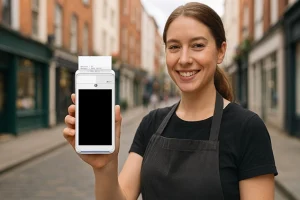
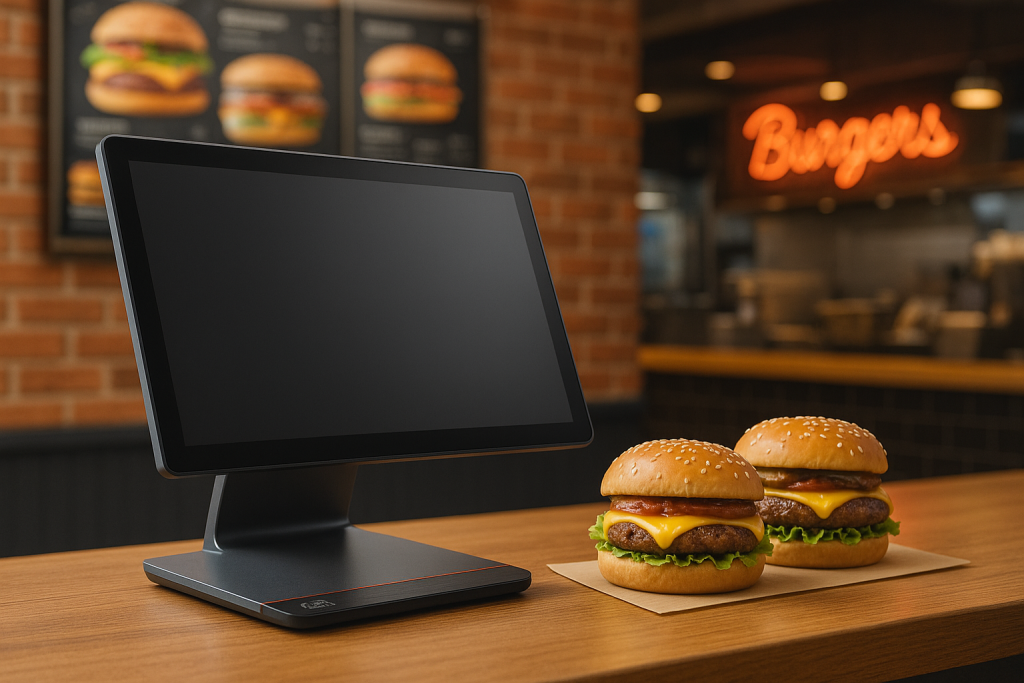
Starting or upgrading your Irish business means making important choices about how to handle customer payments. One of the biggest decisions is whether to use a cloud EPOS Ireland system (which works through the internet) or an on-premise POS system (which works on computers in your shop). This choice affects how you serve customers, manage your business, and handle your money every single day.
As Ireland’s leading merchant services comparison platform, Compayre.ie has helped hundreds of new Irish business owners understand this important decision. This straightforward guide explains the differences in simple terms, helping you choose the system that works best for your business and budget.
What’s the Difference? Simple Explanations
Think of the difference between cloud EPOS Ireland and on-premise POS systems like the difference between using online banking and keeping all your money in a safe at home.
Cloud EPOS: Like Online Banking for Your Business
What Cloud EPOS Means: Your sales information lives on the internet (in the “cloud”) instead of on a computer in your shop. You access it through any device with internet, just like checking your bank account online.
How It Works in Simple Terms:
- When someone buys something, the sale information goes to secure internet servers
- You can check your sales, inventory, and reports from your phone, home computer, or anywhere with internet
- Updates and improvements happen automatically, like apps on your phone
- Multiple shops can share the same information instantly
- Your data is backed up automatically so you never lose it
Real Example: You’re having dinner at home and want to see how today’s sales went. You grab your phone, log in, and see that you sold 15 items totaling €347. You can also see that you’re running low on your best-selling product and need to reorder tomorrow.
On-Premise Systems: Like Having Everything in Your Shop
What On-Premise Means: All your business information stays on computers inside your shop. It’s like having a filing cabinet that only works when you’re physically at your business.
How It Works Simply:
- Your sales data lives on a computer in your back office or under your counter
- To see reports or check inventory, you need to use that computer or others connected to it
- When the system needs updates, a technician comes to your shop to install them
- Each shop location works separately unless connected with expensive private networks
- You’re responsible for backing up your information and keeping it safe
Real Example: To check yesterday’s sales, you need to go to your shop and use the computer there. If you want to change prices, you do it at the shop computer. If you’re at home and wondering how business is going, you’ll have to wait until you get to work tomorrow.
Security: Keeping Your Business Safe
Many new business owners worry about keeping their customer information and sales data safe. Both systems protect your business, but in different ways.
Cloud EPOS Security: Professional Protection
Like Having Bank-Level Security: Cloud systems give small businesses the same protection that big companies and banks use:
- Expert security teams: Professional security guards (digital ones) watch your data 24/7
- Multiple backup locations: If something happens to one computer center, your data is safe in others
- Automatic protection: Security updates happen by themselves, like your phone updating apps
- Strong encryption: Your data is scrambled so even if someone intercepts it, they can’t read it
- Professional monitoring: Security experts watch for problems you’d never notice
What This Means for You: You get better security than you could afford on your own. It’s like having a professional security company guard your shop 24/7, but at a fraction of the cost.
Common Worry – “Is My Data Safe on the Internet?” Yes, it’s actually safer than most people think. Cloud companies spend millions on security because their entire business depends on keeping data safe. They have security experts, backup systems, and protection that would cost small businesses thousands of euros.
On-Premise Security: You’re in Control
Complete Control Over Everything: With on-premise systems, you control every aspect of security:
- Data stays in your shop: Customer information never leaves your premises
- You decide the rules: Set exactly what security measures to use
- No sharing: Your data doesn’t share space with other businesses
- Physical control: You can literally see and touch the computers storing your information
- Custom protection: Set up security exactly how you want it
What This Means for You: You’re responsible for everything – the good and the challenging parts. It’s like being your own security guard instead of hiring a professional company.
The Reality Check: Most small business owners don’t have time to become security experts. Managing proper security requires knowledge about antivirus software, firewalls, backups, and updates. Many businesses think they’re secure but actually have gaps in their protection.
Which Security is Better for Small Businesses?
For Most New Businesses: Cloud Security Wins
- You get professional protection without needing to become a security expert
- Updates and protection happen automatically
- Multiple backups mean your data survives disasters
- Costs much less than hiring security professionals
- Lets you focus on running your business instead of managing computers
On-Premise Might Be Better If:
- You have very sensitive customer information that must stay in-house
- You employ IT professionals who can manage security properly
- You have specific industry requirements for data location
- You have the budget for professional security equipment and staff
Costs: What Will This Really Cost My Business?
Understanding the real costs helps you make a smart decision for your budget and business future.
Cloud EPOS Costs: Predictable Monthly Payments
Simple Monthly Subscription: Cloud systems work like a Netflix subscription – you pay the same amount every month:
- Monthly fee: Usually €40-€120 per month depending on features
- Everything included: Software, security, backups, updates, and support
- No surprise bills: You know exactly what you’ll pay each month
- Start small: Pay only for what you need, add more later
- No equipment to buy: Most systems work on tablets or computers you already have
Real Cost Example for a Small Shop:
- Month 1: €80 (includes setup, training, and first month)
- Months 2-12: €60 per month = €660
- Total Year 1: €740
- What’s Included: Software, security, backups, updates, phone support, training
Why Monthly Payments Can Be Better:
- Cash flow friendly: Small monthly payment instead of big upfront cost
- Includes everything: No hidden costs for updates, security, or support
- Easy budgeting: Know exactly what to expect each month
- Try before committing: Most providers let you test the system first
On-Premise Costs: Higher Upfront, Lower Monthly
Big Initial Investment: On-premise systems require significant money upfront:
- Software: €2,000-€8,000 for the system
- Computer/server: €1,500-€4,000 for equipment to run it
- Installation: €500-€1,500 for professional setup
- Training: €300-€800 to learn how to use it
- Total startup: €4,300-€14,300 before you process your first sale
Ongoing Costs Most People Don’t Expect:
- Support contract: €100-€400 per month for help when things break
- Updates: €500-€2,000 every few years for new features
- Backup equipment: €300-€800 for protecting your data
- IT help: €50-€150 per hour when you need technical assistance
- Equipment replacement: Every 4-5 years, you need new computers
Real Cost Example for the Same Small Shop:
- Year 1: €8,000 setup + €2,400 support = €10,400
- Years 2-3: €200/month support = €4,800
- Year 4: €3,000 equipment upgrade + €2,400 support = €5,400
- 3-Year Total: €20,600
Which Costs Less in the Long Run?
For Most Small Businesses: Cloud Wins on Total Cost
- 3-year cloud total: €2,220 (€60/month x 36 months + setup)
- 3-year on-premise total: €15,000+ (including all hidden costs)
- Difference: Cloud saves over €12,000 in three years
On-Premise Might Cost Less If:
- You plan to use the same system for 7+ years
- You have staff who can handle IT problems
- You process thousands of transactions daily
- You never want to upgrade or change systems
Accessing Your Business Information
Modern business owners need to check on their business from anywhere – at home, while traveling, or from different shop locations.
Cloud EPOS: Check Your Business from Anywhere
Complete Freedom: With cloud systems, you can manage your business from anywhere with internet:
- From home: Check yesterday’s sales while having morning coffee
- While shopping: See current inventory before buying new stock
- On vacation: Make sure everything’s running smoothly without being there
- Multiple locations: Manage all your shops from one phone or computer
- During emergencies: Handle problems even when you can’t get to your shop
What You Can Do from Your Phone:
- See today’s sales totals and best-selling items
- Check how much inventory you have left
- Add new products or change prices
- View which staff members are working
- Read customer reviews and feedback
- Generate reports for your accountant
Real-Life Examples:
- Sunday evening: Check Saturday’s sales from your couch to plan Monday’s schedule
- Supply run: See current inventory while at your supplier to know what to order
- Family dinner: Get an alert that you’re running low on popular items
- Vacation: Verify that temporary staff are following procedures correctly
On-Premise Systems: Tied to Your Shop Location
Location-Dependent Access: Traditional systems require you to be physically present or use complex setups:
- In-shop only: Must be at your business to access most information
- Limited remote access: Requires expensive technical setup that often doesn’t work well
- Separate systems: Each location operates independently
- No mobile access: Can’t check business status from your phone
- Physical presence required: Many management tasks need you to be there
What This Means Day-to-Day:
- Want to check sales from home? Drive to the shop
- Need to change a price? Go to the business computer
- Curious about inventory while talking to suppliers? You’ll have to call the shop
- Managing multiple locations? Visit each one individually
- Staff have questions during off-hours? They have to wait until you’re back
Why This Matters: Small business owners wear many hats and have busy lives. Being tied to a specific location for business management makes life more stressful and less flexible.
Updates and Improvements: Keeping Your System Current
Technology improves constantly, and your business system needs to stay current with new features, security protections, and capabilities.
Cloud EPOS: Automatic Improvements
Like Your Smartphone Apps: Cloud systems update themselves automatically, just like apps on your phone:
- Happens overnight: Wake up to new features and improvements
- No disruption: Updates don’t interrupt your business or require closing
- Always current: Latest security protection and features without thinking about it
- No extra costs: Improvements included in your monthly payment
- New capabilities: Regular addition of features other customers request
What Automatic Updates Give You:
- Better security: Protection against new threats without doing anything
- New features: Capabilities that make running your business easier
- Bug fixes: Problems get solved quickly across all users
- Improved speed: Performance enhancements that make everything faster
- New payment methods: Support for latest ways customers want to pay
Real Benefits:
- Last month your system couldn’t accept Apple Pay, this month it can
- Security threat discovered on Tuesday, protection installed Wednesday
- Customer complaints about slow checkout? Speed improvements arrive automatically
- Want reports your system doesn’t have? Popular requests get added for everyone
On-Premise Systems: Manual Updates Required
You Must Manage Everything: Traditional systems require active management for updates and improvements:
- Schedule downtime: Must close business or work late for updates
- Pay for service calls: Technician visits cost €100-€300 each time
- Test everything: Make sure updates don’t break your existing setup
- Plan carefully: Updates might require new equipment or training
- Version management: Keep track of what version you’re running
Common Update Challenges:
- Delayed security: Critical security fixes applied weeks or months late
- Expensive improvements: New features often cost hundreds or thousands extra
- Business disruption: Updates require closing early or special arrangements
- Testing time: Must verify everything works before serving customers again
- Training needed: Staff must learn new procedures after updates
Real-World Impact:
- Security threat discovered in January, your system gets protected in March
- New feature you want costs €2,000 extra and requires system downtime
- Update goes wrong and your system doesn’t work properly for two days
- Staff confused by interface changes and need retraining after updates
Why Automatic Updates Matter for Small Businesses
Peace of Mind: You don’t need to worry about staying current – it happens automatically while you focus on serving customers and growing your business.
Cost Savings: No paying technicians for update visits or losing business during maintenance windows.
Always Competitive: Your system keeps pace with what larger businesses use, giving customers the same modern experience.
Which System is Right for Different Types of Businesses?
Different types of Irish businesses have different needs. Here’s simple guidance based on what works best for each type.
Small Shops and Retail Stores
Cloud EPOS is Usually Best Because:
- Easy inventory tracking: See what’s selling and what’s not from anywhere
- Simple setup: Start taking payments quickly without complex installation
- Mobile flexibility: Process payments anywhere in your store using a tablet
- Customer data: Remember what regular customers like to buy
- Online selling: Easy to add a website that shares the same inventory
- Multiple payment types: Accept cash, cards, and phone payments automatically
Perfect for:
- Clothing boutiques
- Gift shops
- Bookstores
- Electronics stores
- Hobby and craft stores
- Any shop with changing inventory
Real Example: Sarah owns a small gift shop in Kilkenny. With cloud EPOS, she checks yesterday’s sales from home, sees she’s running low on popular items, and places orders with suppliers during her morning coffee. When tourists visit, she processes payments on her tablet anywhere in the store and they receive receipts by email.
Restaurants and Cafes
Cloud EPOS Works Great For:
- Table management: See which tables are occupied and available
- Kitchen orders: Orders automatically appear on kitchen screens
- Menu changes: Update prices or remove sold-out items instantly
- Staff coordination: Manage different shifts and track performance
- Customer preferences: Remember dietary restrictions and favorite orders
- Multiple locations: Manage different restaurant locations from one system
Ideal for:
- Small restaurants
- Cafes and coffee shops
- Take-away services
- Food trucks
- Catering businesses
- Pubs with food service
Real Example: Michael runs a small restaurant in Cork. His cloud EPOS lets servers take orders on tablets, sends them directly to the kitchen screen, and allows customers to pay at their table. He can update the daily specials from home and see real-time reports of which dishes are popular.
Service-Based Businesses
Cloud EPOS Advantages:
- Appointment booking: Schedule services and process payments together
- Customer history: Track what services each client has received
- Mobile payments: Accept payments at client locations or during house calls
- Staff scheduling: Coordinate multiple service providers and appointments
- Inventory tracking: Manage products and supplies used for services
- Client communication: Send appointment reminders and follow-up messages
Great for:
- Hair salons and beauty services
- Repair services
- Professional consultants
- Fitness trainers
- Cleaning services
- Any business that visits clients
Real Example: Lisa runs a mobile beauty service in Dublin. Her cloud EPOS lets her book appointments, accept payments at clients’ homes using her phone, track which products she uses, and send appointment confirmations automatically. She can see her schedule and earnings from anywhere.
When On-Premise Might Be Better
Consider On-Premise If:
- Very high transaction volumes: Processing hundreds of sales per hour
- Specialized equipment: Need to connect with unique or older business equipment
- Strict data requirements: Industry regulations require data to stay on-premises
- Existing IT staff: Already have technical people managing computer systems
- Complex customizations: Need very specific features built just for your business
Examples:
- Large busy restaurants during peak times
- Businesses with complex inventory tracking
- Companies with strict data privacy requirements
- Established businesses with existing technical infrastructure
Making Your Decision: Simple Steps
Choosing the right system doesn’t have to be complicated. Follow these simple steps to make the best decision for your business.
Step 1: Understand Your Basic Needs
Ask Yourself:
- How many locations do I have (or plan to have)?
- Do I need to check on my business when I’m not there?
- How comfortable am I with technology and computers?
- Do I want predictable monthly costs or can I handle large upfront expenses?
- Will I have staff who can manage technical problems?
Most New Small Businesses Answer:
- 1-2 locations initially, maybe more later
- Yes, I want to check sales and inventory from home
- I’m comfortable with phones and basic computers, but not advanced technical stuff
- I prefer predictable monthly payments
- No, I don’t have technical staff and don’t want to become an IT expert
If This Sounds Like You: Cloud EPOS is Probably Better
Step 2: Consider Your Budget Reality
Cloud EPOS Monthly Budget:
- €50-€100 per month for most small businesses
- Includes everything: software, support, security, updates
- Try before you commit with free trials
- Cancel anytime if it doesn’t work for your business
On-Premise Budget Reality:
- €5,000-€15,000 to get started
- €200-€500 per month for ongoing support and maintenance
- Additional costs for problems, updates, and improvements
- Must keep system for several years to justify initial investment
Honest Budget Questions:
- Can I afford €5,000-€15,000 upfront without hurting my business cash flow?
- Am I prepared for unexpected technical costs of €500-€2,000?
- Would I rather invest that money in inventory, marketing, or business growth?
Step 3: Think About Your Future
Where Will Your Business Be in 3 Years?
- Growing: Will you have more locations, more staff, or online sales?
- Changing: Might you add new products, services, or ways of doing business?
- Adapting: Will you need to keep up with how customers want to pay and shop?
Cloud Systems Grow With You:
- Easy to add new locations, staff, or features
- Automatic updates keep you current with customer expectations
- Simple to add online sales or new payment methods
- Monthly costs increase gradually as your business grows
On-Premise Systems Require Planning:
- Adding locations means buying more equipment and software
- New features often require expensive upgrades
- Changes might need technical consultants or system replacement
- Growth requires significant additional investment
Step 4: Test Before You Decide
Try Cloud Systems First: Most cloud EPOS providers offer:
- Free trials: Test the system with your actual business for 14-30 days
- No commitment: Cancel anytime during the trial period
- Real data: Use your actual products and prices during testing
- Training included: Learn how to use the system during the trial
- Support available: Get help setting up and testing features
How to Test Effectively:
- Use the system for at least a full week of normal business
- Try accessing reports and information from home
- Test all payment types your customers use
- Have your staff use the system and give feedback
- Compare how easy it is versus your current method
Common Concerns New Business Owners Have
Most new business owners have similar worries about choosing EPOS systems. Here are honest answers to the most common concerns.
“What if the Internet Goes Down?”
The Reality:
- Modern cloud EPOS systems work offline when internet is down
- They store recent sales and sync when connection returns
- Ireland’s internet is generally reliable, especially in business areas
- Most outages are short (minutes, not hours)
Practical Solutions:
- Choose cloud systems with offline capability
- Have a backup internet source (mobile hotspot)
- Keep a simple manual backup method for extreme emergencies
- Remember: on-premise systems also fail, but you’re responsible for fixing them
“Is My Data Really Safe in the Cloud?”
The Facts:
- Cloud companies invest millions in security because their business depends on it
- Your data is encrypted and stored in multiple secure locations
- Professional security teams monitor for threats 24/7
- Automatic backups mean you never lose information
Compare to Alternatives:
- Small business computer security is often poor or nonexistent
- No backup means losing everything if computers fail
- Most small businesses can’t afford professional security expertise
- Cloud security is actually safer than most small business setups
“What if I Don’t Like the System After I Choose?”
With Cloud Systems:
- Most offer month-to-month contracts after initial trial
- Your data can be exported to use with other systems
- Low switching costs because you haven’t bought expensive equipment
- Easy to try different systems until you find the right fit
With On-Premise Systems:
- Large upfront investment makes switching very expensive
- Data might be trapped in proprietary formats
- Equipment becomes worthless if you switch systems
- Switching costs often equal or exceed original purchase price
“Will My Staff Be Able to Learn This?”
Cloud Systems Are Designed for Ease:
- Modern interfaces work like smartphones and tablets
- Training usually takes hours, not days
- Online help and videos available anytime
- Phone support included for questions
Success Tips:
- Choose systems with intuitive interfaces
- Start with basic features and add complexity gradually
- Take advantage of included training
- Have staff practice during slow periods before going live
Getting Started: Next Steps
Ready to choose your EPOS system? Here’s how to move forward without making expensive mistakes.
Do Your Research
Start with Free Trials:
- Most cloud providers offer free trials with no commitment
- Test 2-3 different systems to compare ease of use
- Use your real business data during trials
- Get feedback from staff who will use the system daily
Ask the Right Questions:
- What’s included in the monthly price?
- How quickly can I get help when I need it?
- Can I export my data if I want to switch later?
- What happens if I need to add features or locations?
- Are there any hidden fees or extra costs?
Get Expert Help
Why Professional Guidance Helps:
- Avoid expensive mistakes from choosing the wrong system
- Get honest comparisons between different options
- Negotiate better pricing and contract terms
- Ensure the system you choose fits your specific business needs
What to Look for in Advisors:
- Experience helping Irish businesses specifically
- No bias toward particular systems or providers
- Clear explanations in language you understand
- Ongoing support after you choose a system
Compayre.ie: Your Trusted Guide
Compayre.ie specializes in helping Irish small business owners make smart EPOS decisions without getting overwhelmed by technical complexity or sales pressure.
How We Help:
- Plain English explanations: No confusing technical jargon or sales pressure
- Irish business focus: We understand how Irish businesses operate and what you need
- Independent advice: Not tied to any particular system or provider
- Ongoing support: Help continues after you choose your system
- Local expertise: Irish team who understand Irish business challenges
Our Approach:
- Understand your specific business needs and goals
- Explain options in simple terms you can understand
- Help you test systems with your real business
- Negotiate fair pricing and contract terms
- Provide ongoing support as your business grows
Conclusion: Making the Smart Choice for Your Irish Business
For most new Irish small businesses, cloud EPOS Ireland systems offer the best combination of affordability, flexibility, and professional capability. They provide enterprise-level features at small business prices, with the security and reliability that would cost thousands to achieve with on-premise POS systems.
Cloud EPOS is Usually the Smart Choice If:
- You want to focus on your business, not managing computer systems
- You prefer predictable monthly costs over large upfront investments
- You value the ability to manage your business from anywhere
- You want professional security and automatic updates
- You plan to grow or might add online sales
- You don’t have dedicated IT staff
Consider On-Premise Only If:
- You process extremely high transaction volumes
- You have specific industry requirements for data location
- You already have professional IT staff and infrastructure
- You’re certain you’ll use the same system for 7+ years
- You have the budget for large upfront investments and ongoing maintenance
Remember: The best system is the one you’ll actually use effectively. Don’t choose based on what you think you should want – choose based on what will actually help your business succeed day-to-day.
Ready to Find Your Perfect EPOS System?
Contact the friendly team at Compayre.ie at +353 1 265 4403 for honest, pressure-free guidance about EPOS systems that fit your business and budget. We’ll help you understand your options, avoid common mistakes, and find solutions that help your business grow.
Visit www.compayre.ie today to start your journey toward better business management. Don’t let technology decisions overwhelm you – get the expert help you need to choose confidently.
Your business deserves modern tools that make life easier, not more complicated. Let us help you find the perfect fit.